Crypto · AI · Automation

Krypto Cockpit – turning messages into traceable workflows.

Connect your own Telegram account, use channels and Binance Square as signal sources, and analyse signals for different trading strategies with AI. Krypto Cockpit brings these steps together with orders, bots and reporting in a custom web application.

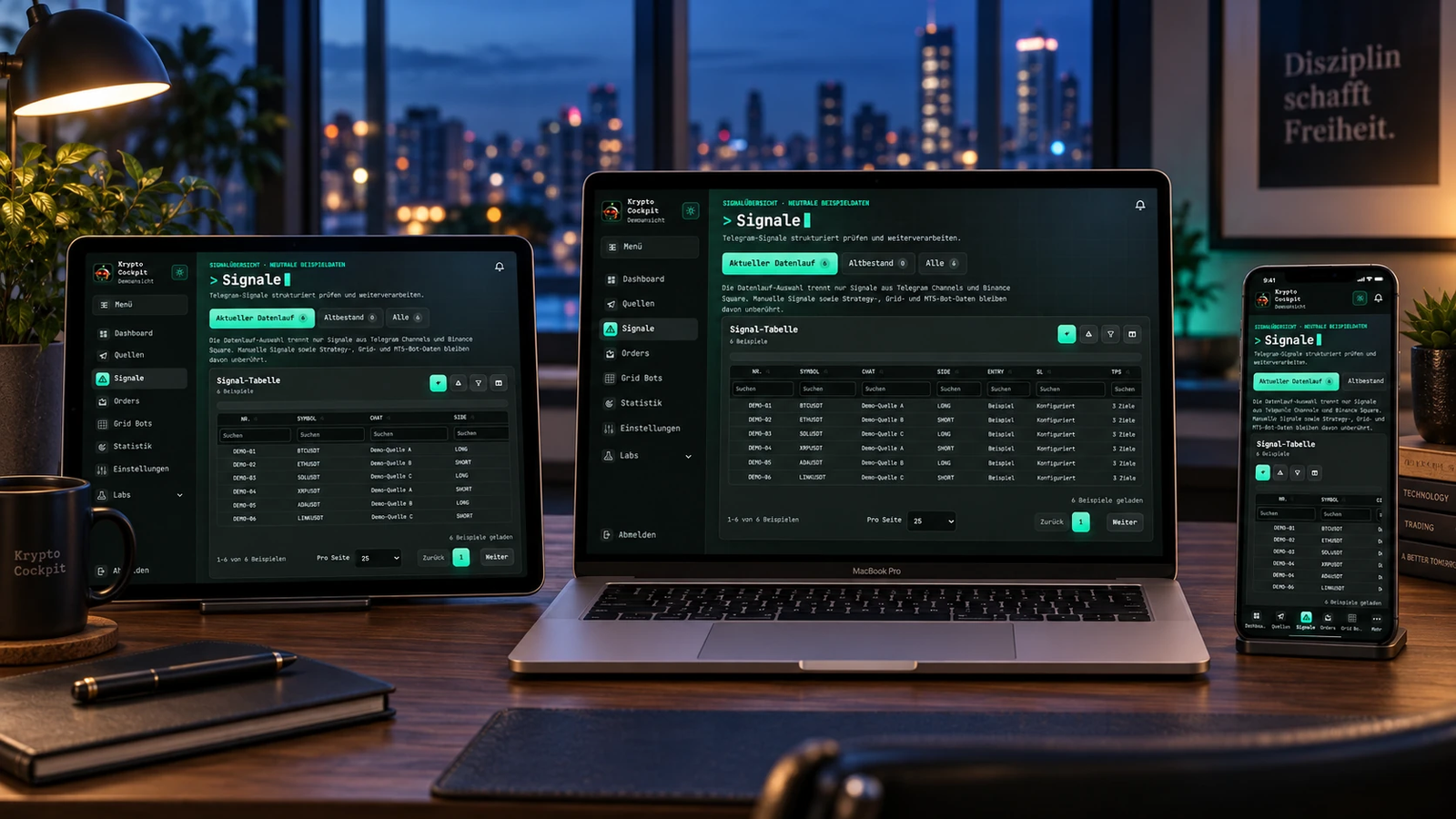
Krypto Cockpit on a MacBook, iPad and iPhone in a contemporary workspace
The challenge & implementation

Many sources. One shared workspace.

A trading message contains more than a symbol: entries, targets, stops and later corrections need to stay connected. The application combines Telegram sources, AI-assisted extraction and exchange integrations. Its signal overview connects to orders, position protection, bots and reporting. Demo and production accounts remain distinguishable, while statuses, changes and background processes stay visible. This is a custom application used internally.

Projekt
An internal custom application for signal processing and trading workflows.
Implementation
Web interface, AI workflows, API integration and operational automation.
Integrations
Telegram, Binance, Bybit, TradingView, MetaTrader 5 and Polymarket.
Technical focus
AI agents, shared price streams, order reconciliation and account separation. MetaTrader 5 runs as a Windows application through Wine on a Linux VPS, with a bridge and noVNC desktop.
Capabilities

Connected from source to reporting.

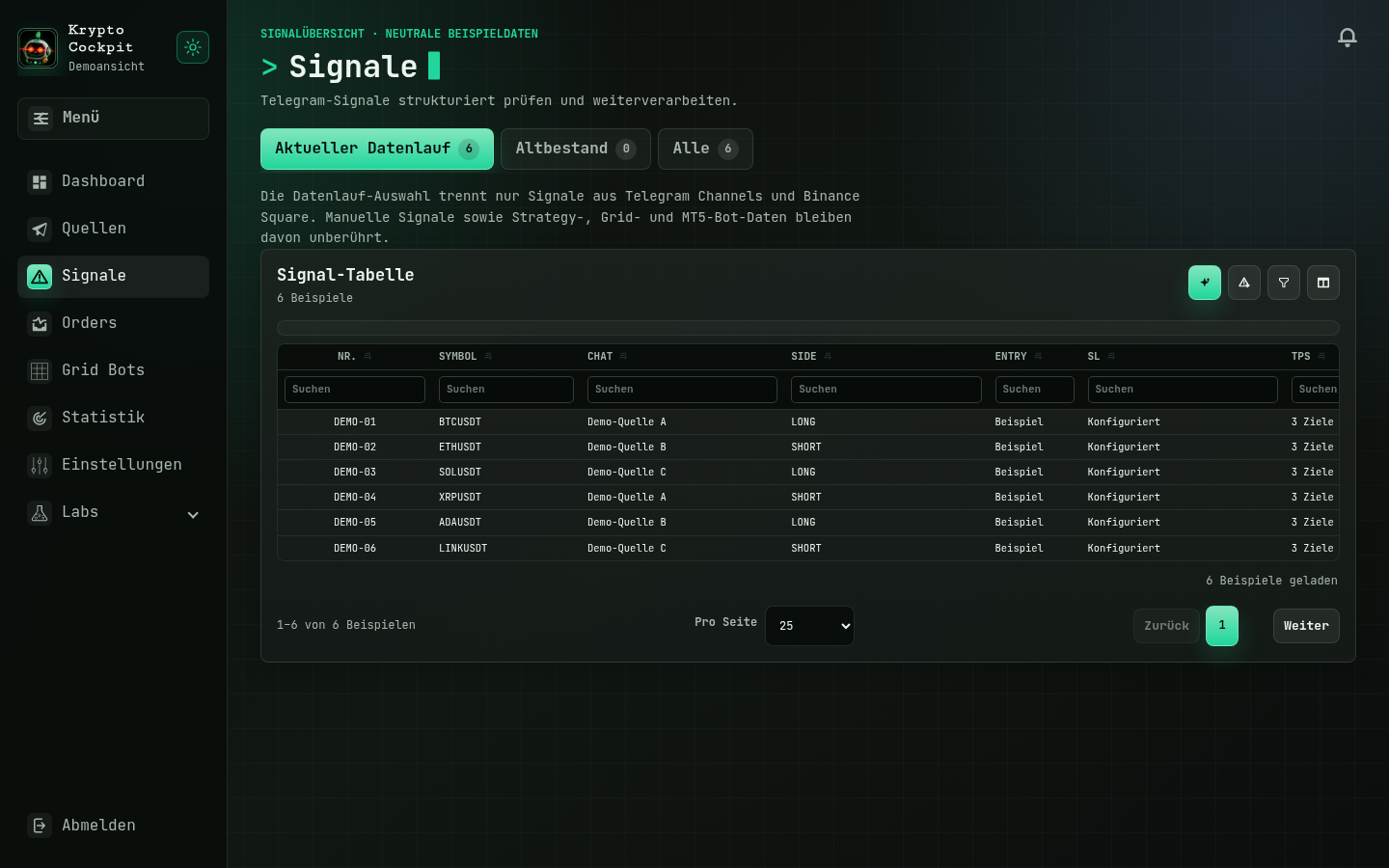
Krypto Cockpit's German signal overview with six neutral sample records
Product view with neutral sample data · German interface, anonymised for the portfolio.

Telegram & Binance Square

  • A connected Telegram account provides access to selected channels, topics and message histories as signal sources. Binance Square adds another source of trading signals.
  • AI extracts the symbol, long/short direction, entry, stop loss and take-profit targets. Review notes and signal updates remain linked to their source.

Binance & Bybit: orders and positions

  • Long and short positions, limit and market orders, and reduce-only instructions can be managed by account and environment.
  • Demo and production are separated. Time-in-force rules such as GTC, IOC and FOK, order routing and exchange synchronisation connect each instruction to its actual execution status.

Strategy bots, Jesse & Freqtrade

  • AI analyses market signals for different trading strategies and prioritises setups. Jesse, Freqtrade and the internal engine support strategy development through research, replays and comparative backtests.
  • Deterministic rules validate entries, stops, targets and costs before AI assessment. Strategy bots progress through traceable observation, approval and management stages.

Grid bots & position protection

  • Grid bots combine ranges, grid spacing and order sizes with status views and pause controls.
  • Stop loss, take profit and trailing take profit support trade management. Activation and trailing distance can be configured in percentages or USDT steps, with limit execution and a change history.

TradingView & live market data

  • TradingView charts and Pine scripts support analysis. Shared Binance and Bybit price streams supply current data to orders, positions and bots.
  • The browser receives consolidated updates through SSE. A filtered economic calendar with AI interpretation adds market context.

MetaTrader 5 on a Linux VPS

  • The Windows application MetaTrader 5 runs through Wine on a Linux VPS. A bridge connects the terminal, order checks, positions and MT5 strategy workers to the web application.
  • The terminal desktop is accessible through noVNC. Serialised access and a watchdog monitor the bridge and support controlled restarts.

Polymarket as strategy context

  • The Polymarket integration collects matching prediction markets, considering time horizon, spread, depth, liquidity and data freshness.
  • In shadow mode, market snapshots are stored alongside the unchanged strategy. Forward returns, Brier score and log loss support a separate evaluation of the additional information.

A custom backtesting engine

  • The custom engine reconstructs entries, stop-loss and take-profit events using historical exchange candles. Partial closes, break-even, fees and timestamped signal updates are included in the simulation.
  • Inputs and configuration are frozen for each run. Strategy variants, simulated PNL and actual exchange executions can be compared separately.

Audit Telegram channels

  • A new Telegram channel can be imported chronologically for a selected period and backtested against historical Binance or Bybit prices.
  • This makes published PNL and ROI claims reviewable: was a stop loss triggered without an update? Was a stop later changed or removed? Comparing stored messages with price history makes these discrepancies open to investigation.

PNL & operations

  • PNL statistics, fees and order histories can be examined by account and dataset.
  • Telegram listeners, bot workers, exchange synchronisation and AI runs expose their own status. Logs and a global AI pause support daily operations.

Bring complex workflows into your own application?

We connect data sources, AI assistance and integrations through an interface built around the way you work.

Discuss your project